 Quillfox
Live transcription for iPhone
Hear it. Read it. Keep it.
Switch Quillfox on and your iPhone writes down the speech around it as it goes — a meeting, a lecture, an appointment you want to remember exactly. Recognition runs on the phone itself. No account, no ads.
- iPhone & Apple Watch
- Six languages
- No account · No ads

Open it, tap once, read along
Words appear within a moment of being said. When you stop, the transcript is already saved.
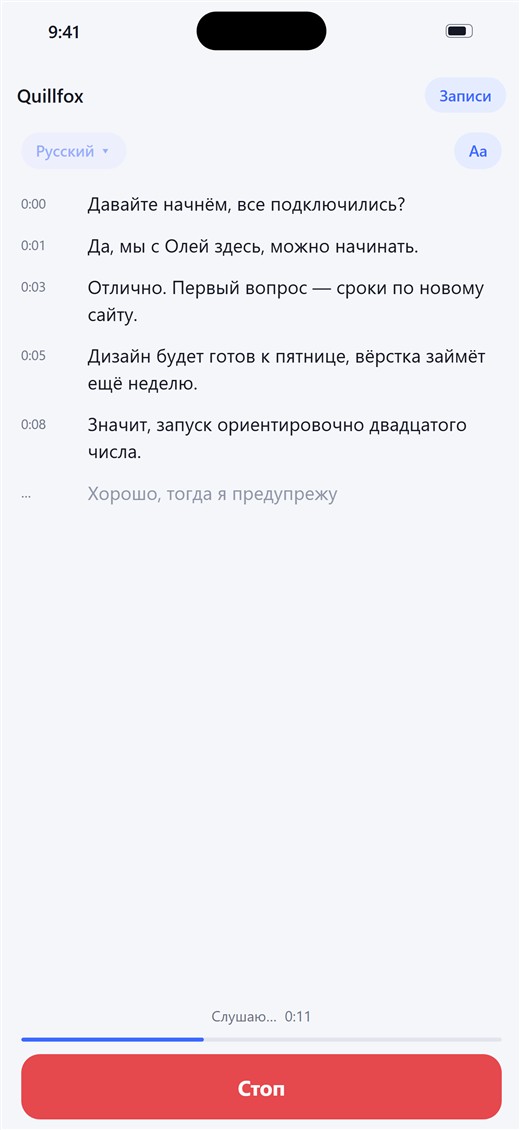
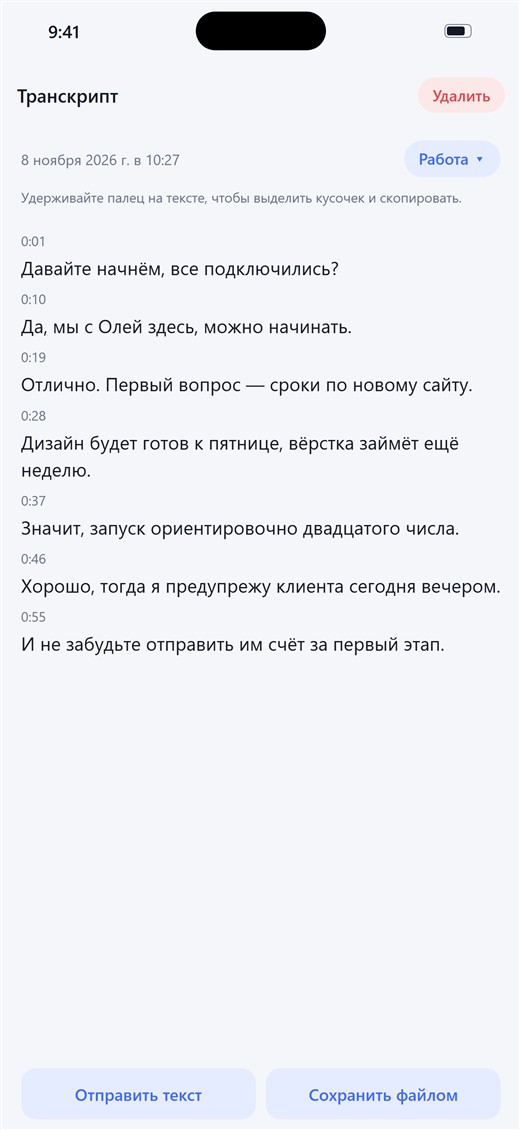
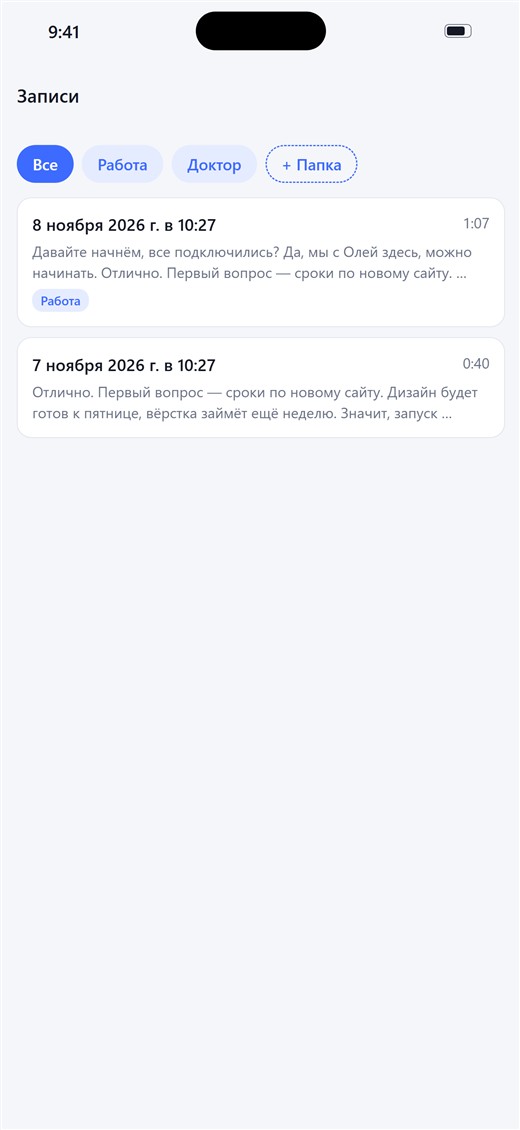
Screenshots show the app in Russian; Quillfox follows your iPhone’s language.
Made for long, real conversations
Not a dictation toy: Quillfox is built to keep listening for an hour and not lose a word.
Recognition on your iPhone
Quillfox asks your iPhone to keep recognition on the device whenever Apple supports your language, so the sound stays with you.
Keeps listening, screen locked
Put the phone on the table or in your pocket. Recording continues with the screen off.
Nothing is lost
Every phrase is saved the moment it is recognised, so even a very long session survives a crash or a dead battery.
Share it your way
Send the transcript as plain text, or save it as a .txt file you can open anywhere.
Folders and pins
Sort recordings into your own folders and pin the ones you need most to the top.
Recovers by itself
A phone call, a change of headphones or an interruption — Quillfox picks up again without being asked.
Start it from your wrist
Quillfox has an Apple Watch app and a button for the watch’s Control Centre. The words appear on the watch, while the iPhone stays in your pocket.
- Add the button once. On the watch, open Control Centre, tap +, then Quillfox under “From Your iPhone”. The app shows you how.
- Press it to start. Recording begins on the iPhone, even locked, and a Live Activity shows the latest phrase on the Lock Screen.
- Press again to stop. The transcript is waiting in the app.
The Control Centre button needs watchOS 26 on the watch. Starting from the app on the watch works while Quillfox is open on the iPhone.
Your conversations stay yours
- No account, no ads, no analytics. Nothing in Quillfox asks who you are.
- No Quillfox server. Transcripts live in the app on your iPhone, and go elsewhere only when you share them.
- Honest about Apple. Speech recognition is done by Apple’s own technology. Where your language is not available on the device, iPhone may use Apple’s servers — the privacy policy explains when.
Short answers
Does it work without internet?
Yes, for the languages your iPhone can recognise on the device. The first time you use a language, iOS may need to download its speech model.
Which languages can it recognise?
The ones Apple’s speech recognition supports on your iPhone. You pick the language to listen for on the main screen. The app itself speaks English, Russian, Spanish, German, French and Portuguese.
Does it tell speakers apart?
Not yet. Apple’s recogniser gives text without speaker labels, so a transcript is one running text with times.
Is it always accurate?
No automatic transcript is. Noise, accents and distance cause mistakes, so check anything important before you rely on it.
Can I record anyone I like?
Not necessarily. Some places require everyone’s consent to record or transcribe a conversation. Please tell people and follow the law where you are.
Android?
Not at the moment. Quillfox is for iPhone first, with Apple Watch alongside.
Needs iPhone with iOS 18 or later. Apple Watch features need watchOS 26.